
Copy of Copy of Putting your PC Together
Now that you have all your parts, it is time to start building! Enroll in this course for a step-by-step guide on how to assemble your PC, one part at a time!
How'd you Feel?
Preparing your workspace
Helpful Video Guide by Linus Tech Tips! (For Visual Learners)
Unboxing Motherboard and Putting in CPU
Attaching the SSD/NVME to the Motherboard
Install the RAM sticks/Memory
Placing the Motherboard into the Case
Install the Power Supply
Install your Cooling System (Fans or Liquid Cooler)
Attach the GPU to the Motherboard
Youtube Text Lesson
Youtube Multimedia Lesson
Excel Sheet
Test Video Lesson
Your big idea.pdf
bqkpau3cip4fs3ftc19g
Handbraked video
MP4 video
Trimmed video
Video several min long
10 min video
Multimedia folder
vid assgnm
Test Video Lesson
Direct upload to lesson video
Handbraked Video!!
Working audio
Test pdf presentations CK Yoga Class Structure (1).pdf
Module 10 Lesson 4 Physical and Life Science.zip
Module 6 Lesson 3 Care of the Environment.zip
: Module 10 Lesson 7 Music.zip
sss
Test image
testzip
Test youtube lesson
test
test
Pressing the Power Button
Installing the Window's Operating System
Example Google Document
MODULE 1-Clinical Reasoning
Easy No-Recipe Meals, Snacks & Breakfasts
Wistia test
Wistia Test (Fixed size)
Wistia Test (Responsive Size)
Test video workaround
Test workaround
League of Legends 2021.05.20 - 00.50.38.08.DVR
League of Legends 2021.05.20 - 00.50.38.08.DVR
dd
testes
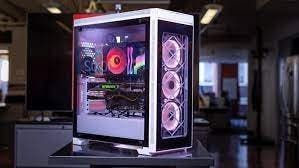
All the lessons included here!
Chapter 1
Chapter 2
Text length of individual points can be shorter or longer depending on your needs